

Here is a great example for “Quick Wins” which are low effort and high benefit, as discussed the other day in my post Scoping Priorities.
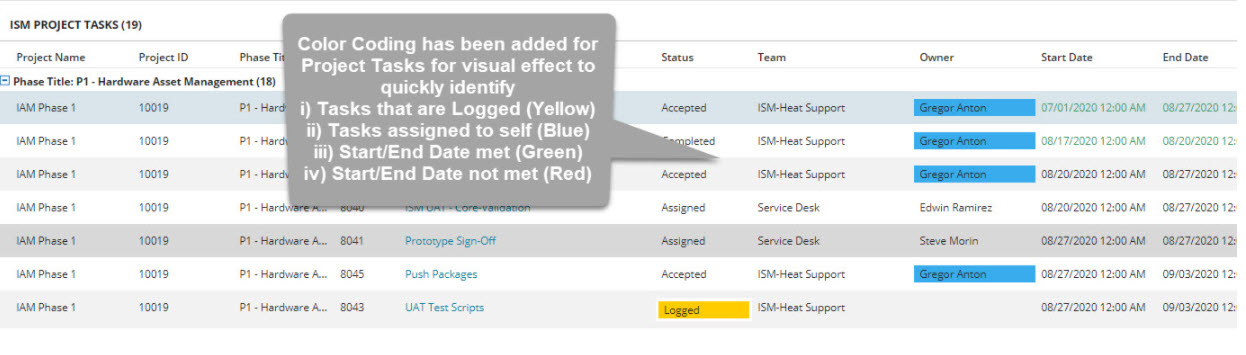
Project Task List – Color Coding
A best practice that you can find throughout the a19 Consulting Best Practice system is to use color coding where possible, especially with lists, so it is visually easy and quick to identify important records or columns, such as the Status, Start Date, End Date, and Owner of Project Tasks by using style expressions. Why the owner? For a meaningful project overview of project tasks.
ISM Project Dashboard Example
Style Expressions
- Tasks with a status of Logged (Yellow)
- Tasks assigned to self (Blue)
- Start/End Date met (Green)
- Start/End Date not met (Red)
sample style expression
$(if CurrentDateTime() > EndDate &&
Status not in (“Completed”, “Rejected”, “Cancelled”)
then “RedBox”
else if CurrentDateTime() > StartDate && CurrentDateTime() < EndDate
then “GreenLabel”
else “Default”)


 ITSM/ITAM/ESM Blog
You must be logged in to post a comment.